






Crowd City LibraryThe Wild West LibraryHalloween LibraryAll Mocap


Demo Reel WorkshopCrafting a ShowreelFacial Animation Boot Camp





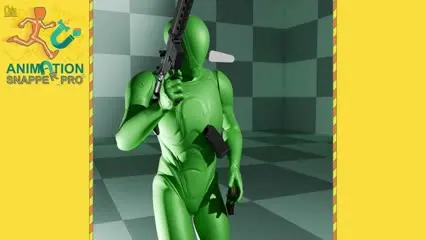
Animation Snapper Pro is a Blender addon for keyframe-based snapping: an object can switch what it follows as often as the shot needs, with no constraints, no messy hierarchies and nothing to untangle later. Snap to any vertex, edge or face, keep offsets, or batch snap across a frame range. Made by Melo Wilo (Wilhelm Ogterop), a lead animator with 25 years of industry experience.
 Blender 4.0 to 5.0
Instant download Vetted creator
Blender constraints work when something always follows one target. Switch targets even twice and you are juggling influence timings, duplicate objects and single-frame visibility keys. Snapper bakes every snap to keyframes instead.
Lingering constraints turn an old file into a puzzle, and changes get worse. With keyframes only, stopping a follow means deleting the keys for that section.
Every snap is plain keyframes, so no constraints are left in the file and the animation exports cleanly to game engines without compatibility issues.
Every tool in the addon writes keyframes, so the result stays as editable as any other animation. For the times you do want constraints, it ships with a bonus Constraint Switcher, AnimSnapPro Switcher: set up the switch quickly, then bake it down.
Any point on just about any mesh can become an anchor for snapping.
Keep an offset from the target in a few clicks.
Animate an object following another across a whole frame range with one click.
Want an object to stop following something? Delete the keyframes for that section.
Bonus tool that sets up switching constraints and bakes them to keyframes.
Suited to complex follow animation, interactive animations and cloth simulation.


No reviews yet
No reviews yet. If you have used it, you would be the first to say so.
Used this in a shot? Your notes help the next animator decide.
Sign in to reviewEvery plugin on Animworks is checked by our team before it goes live.
Questions and bug reports go straight to Melo Wilo and Wilhelm Ogterop, or email support@anim.works.
It lands in your downloads the moment you check out, and stays there.
 Review shots frame by frame
 Rigs, tools, courses and mentors
Current
Rigs, tools, courses and mentors
Current
 Boards and story beats
Coming soon
Boards and story beats
Coming soon