





Crowd City LibraryThe Wild West LibraryHalloween LibraryAll Mocap


Demo Reel WorkshopCrafting a ShowreelFacial Animation Boot Camp





AS_ImageRef by AnimStarter is a Maya reference manager that turns image plane setup into one click. Select your video file and ImageRef does the rest: it detects image sequences and syncs them to your timeline, constrains the reference to your camera so it stays put, and lets you set the start frame from its own UI. Built by a feature film animator who wanted it for their own daily work.
 Maya
MayaInstant download Vetted creator
Create a plane, find the file, connect the node, tick use image sequence, set the offset, line it up. ImageRef does all of it when you select the video file.
The reference is constrained straight to your camera, so it stays exactly where you need it.
Adjust the start frame directly from the ImageRef UI, without going anywhere near the Attribute Editor.
AnimStarter built AS_ImageRef for their own daily work on feature films, so every detail in it solves a problem they ran into themselves. Use it to study mechanics, block an acting beat from video reference, or keep your work lined up with a master plate.
The script builds the whole image plane setup for you.
And syncs them to your timeline so the reference plays in time with your work.
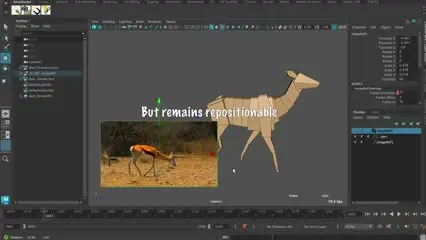
The reference stays in place instead of sliding around the scene.
Offset a reference that does not begin on frame one.
Drag INSTALL_AS_ImageRef.mel into the Maya viewport.
Close and reopen Maya so the shelf loads.
AS_ImageRef lives on the AnimStarter shelf, alongside the rest of the range.
No reviews yet
No reviews yet. If you have used it, you would be the first to say so.
Used this in a shot? Your notes help the next animator decide.
Sign in to reviewEvery plugin on Animworks is checked by our team before it goes live.
Questions and bug reports go straight to AnimStarter, or email support@anim.works.
It lands in your downloads the moment you check out, and stays there.
 Review shots frame by frame
 Rigs, tools, courses and mentors
Current
Rigs, tools, courses and mentors
Current
 Boards and story beats
Coming soon
Boards and story beats
Coming soon