

Cool Lines - Maya Plugin
FreeMaya





Crowd City LibraryThe Wild West LibraryHalloween LibraryAll Mocap


Demo Reel WorkshopCrafting a ShowreelFacial Animation Boot Camp





Draw directly on top of any application
 Blender
 Maya
 Unreal
Instant download Vetted creator
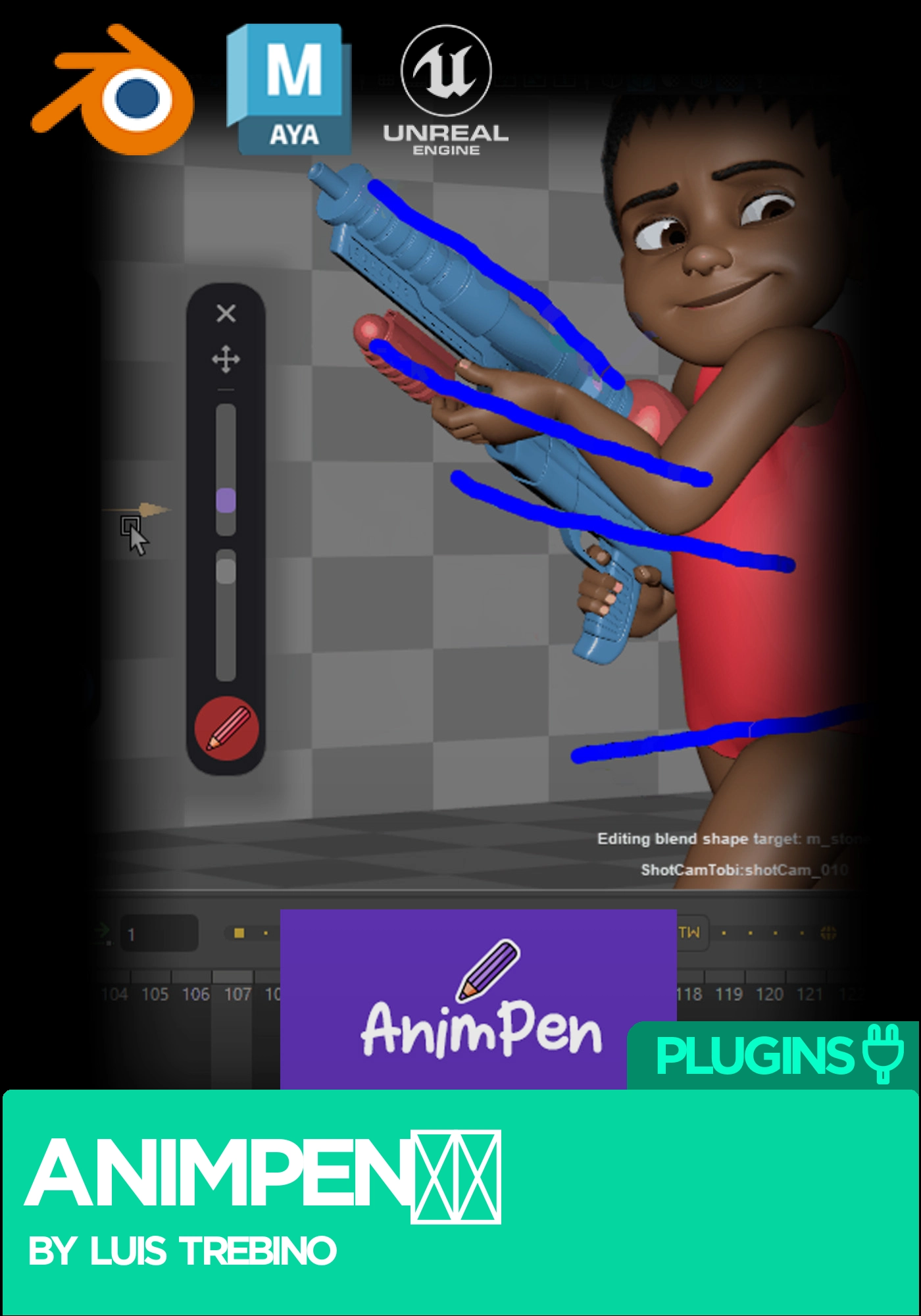
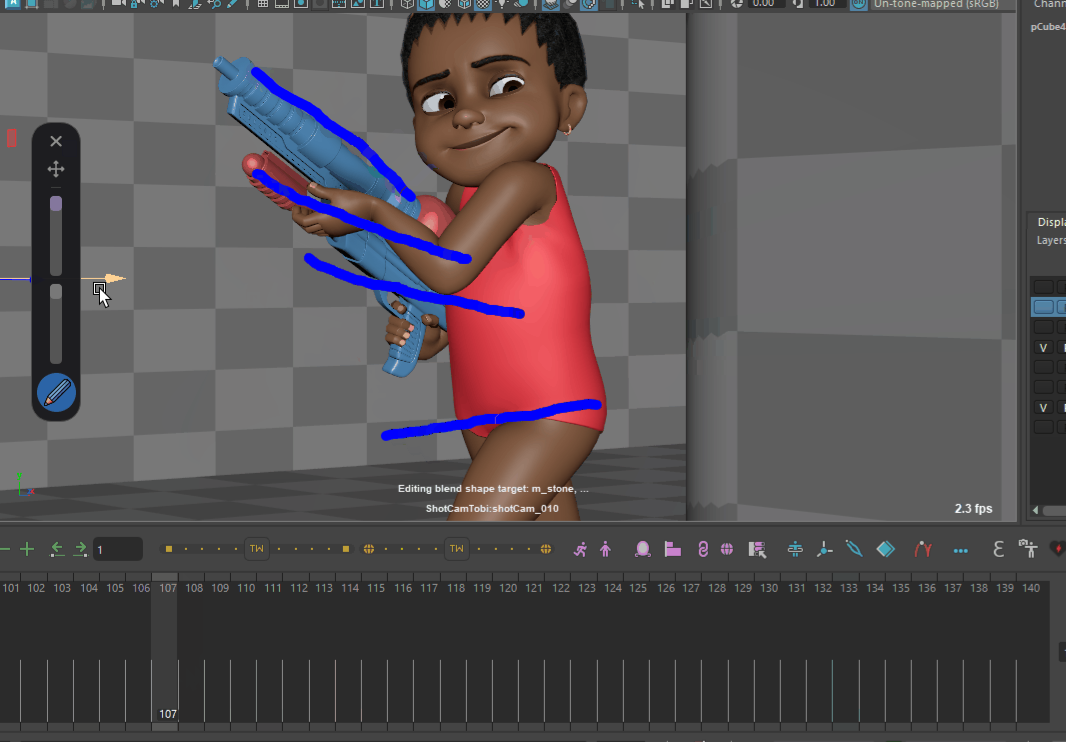
AnimPen by Luis Trebino: a free draw over tool for Maya, Blender and 3ds Max
AnimPen is free software that lets you draw over any application, Maya, Blender, 3ds Max and anything else on screen. It is great for manually tracking arcs, shapes and motion, straight on top of the viewport you are already working in.
As a professional character animator, I had been looking for a simple drawing tool like this for a long time. The alternatives I found were often too complicated. That is why I created AnimPen: a simple, lightweight and completely free app with everything you need, and nothing you do not.
It sits quietly in the system tray and draws on top of whatever is in front of you. Hold a hotkey and sketch an arc across a walk cycle, mark where a contact should land, or scribble a shape over a pose to check its silhouette. Let go and carry on animating. Nothing is imported, nothing is attached to your scene, and it works the same whichever application you are in.
That is it. That is the whole tool.
Unzip the download and run Animpen.exe. There is no installer and nothing to configure.
Once AnimPen is running it stays minimised in the system tray, next to the clock.
These hotkeys were chosen because they are comfortable to reach and, importantly, they do not interfere with Maya.
Are you going to upload the entire source code?
Yes, as soon as I have some free time. The plan is to make the full source code available.
Why Python?
Python is easy, fast to develop in, and works well with Maya. AnimPen was designed from the beginning to connect directly with Maya, with scripts coming soon, so Python was the logical choice.
Why these hotkeys?
There was a very old program called Sketch It that I used for years. It was discontinued and disappeared. AnimPen picks up where that left off, with hotkeys that stay out of Maya’s way.
Can I change the hotkeys?
Yes, though customisation is still a little limited. Open settings.json inside the _internal folder and change them there. Some key combinations may not work correctly.
Are you a software engineer?
No, so please use this program at your own risk. I am a character animator. I built AnimPen carefully and tried to take care of every aspect of it, with the help of AI, and I have been using and testing it myself. I am not an expert.
AnimPen runs on Windows 11. It draws over any application on screen, so it is not tied to one piece of software.
AnimPen by Luis Trebino. Free. See more animation plugins on Animworks.
No reviews yet
No reviews yet. If you have used it, you would be the first to say so.
Used this in a shot? Your notes help the next animator decide.
Sign in to reviewEvery plugin on Animworks is checked by our team before it goes live.
Questions and bug reports go straight to Luis Trebino, or email support@anim.works.
It lands in your downloads the moment you check out, and stays there.
 Review shots frame by frame
 Rigs, tools, courses and mentors
Current
 Boards and story beats
Coming soon